
How to Check an Instagram Follower Count: Live, Exact and Historical
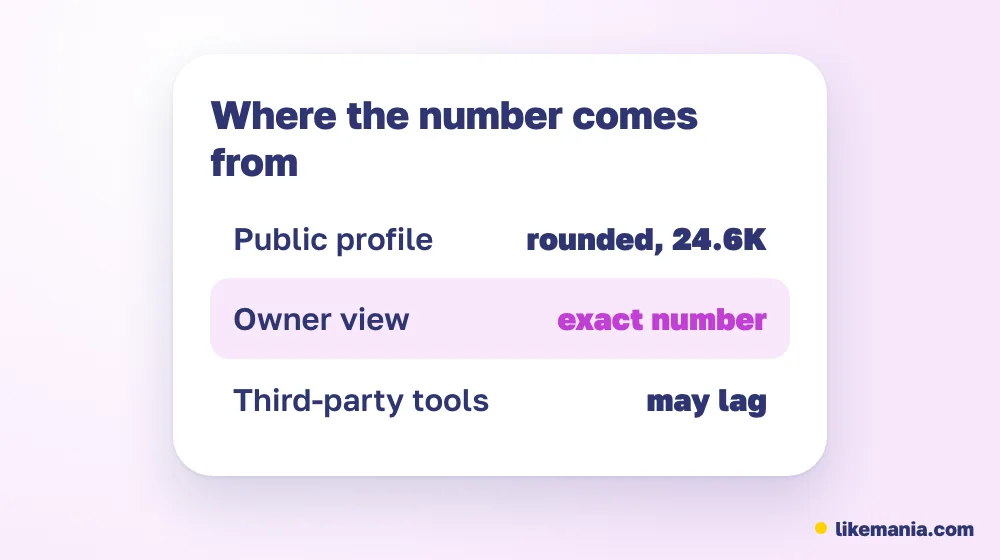
Anyone can read an account's follower count on its profile, but large numbers are shown in a shortened form such as 12.3K or 1.2M. The exact number is visible to the owner in the follower list and Insights. "Live" counters only repeat the public figure, and Instagram does not keep a public history.

Searches like "live Instagram follower count" and "Instagram follower count checker" assume that a precise, moving number exists for every account. In practice, there are three different numbers: the public one, the owner's one and the history you build yourself. This guide explains each, with a short table and a worked example.
Where to read a follower count
Open a public profile and look at the row of totals: posts, followers and following. For accounts with a few thousand followers, the number is often shown in full. For larger accounts, Instagram shortens it. If you want a quick check on another account, that is all you can see, and no website can add precision, because the sites read the same public page.
The count updates after a delay, and it can be adjusted when Instagram removes fake or deleted accounts, so two checks a minute apart may differ by a few.
Public, owner and tool counts compared
| Source | What you see | Precision | Who can use it |
|---|---|---|---|
| Public profile | Follower number, shortened when large | Rounded | Anyone |
| Owner's follower list | Full list with search | Exact | The owner |
| Insights (professional account) | Growth, gains and losses by period | Exact for the period | The owner |
| "Live counter" website | The public number refreshed on a timer | Same as public | Anyone |
The last row is the important caution. A live counter is a convenient display, not a different data source. If a tool claims to show exact numbers for someone else's large account, it is estimating.
How to see the exact number for your own account
Open your profile and tap the followers count. The list opens, and in many versions you can scroll to see how many accounts it contains. For growth, use the professional dashboard: it shows the followers metric for a period you choose, and you can see how many accounts were gained and lost. A personal account has fewer options, so a creator or business profile is the better choice if you want more detail.
Instagram followers count history
Instagram does not display a public history of follower numbers. To follow changes you have three options:
- Keep your own log. Note the number weekly, with the date and a line about what you posted.
- Use the professional dashboard for gains and losses within a chosen period.
- Use a tool that saves public snapshots. It can chart the number over time, but only from the day it started tracking.
A worked example of a simple log: on Monday you have 2,000 followers, the next Monday 2,100 (+100, or 5 percent), and the week after that 2,150 (+50, or about 2.4 percent). If the second week had a Reel and the third did not, the log points you to what worked. Our guide on tracking Instagram followers safely shows how to extend this with exports and Insights.
Why your count and a friend's screenshot disagree
Several things cause small differences:
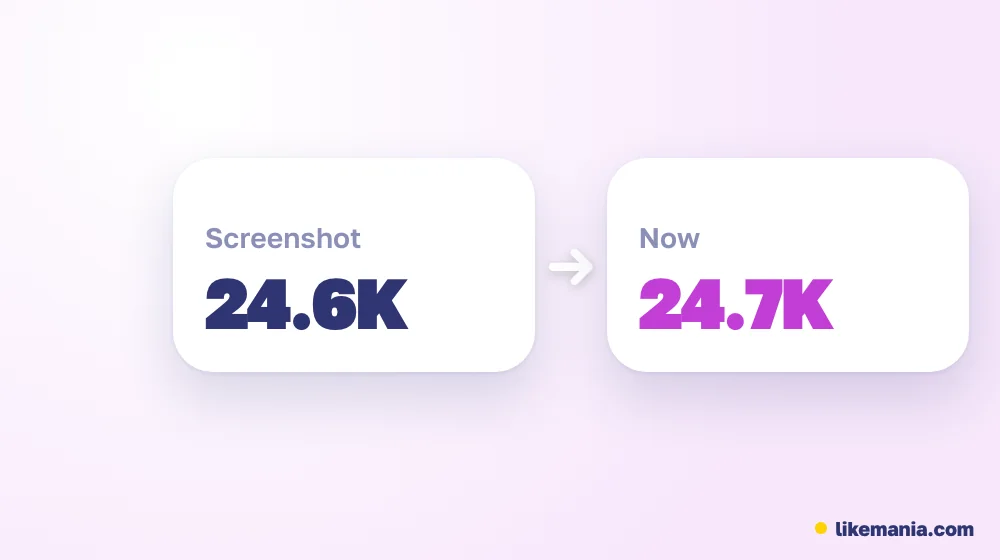
- Timing. The number updates with a lag.
- Rounding. The public display shortens large values.
- Removals. Instagram deletes fake accounts and the number drops.
- Account type. Insights counts may differ slightly from the public number.
A difference of a few is normal. A sudden loss of hundreds deserves a look at what changed: a post that upset people, a platform cleanup or a security issue.
Checklist: reading the number correctly
- [ ] Remember that large public numbers are rounded.
- [ ] Use Insights for exact gains and losses on your account.
- [ ] Treat live counters as the same public number on a timer.
- [ ] Keep a dated log for history.
- [ ] Never give your password to a site that promises "exact followers".
- [ ] Compare the count with reach, not with other accounts' vanity numbers.
Does the number matter?
The count is a first impression, and it is easy to compare. Brands and visitors look at it, then at your posts, then at engagement. A modest count with good engagement is often more valuable than a big count with silence. For perspective, compare the follower count with the average reach of your recent posts: if reach is a tiny fraction, the audience may be inactive.
How it works at Likemania
Anyone who wants the counter to look less empty can order followers from the Instagram section of the Likemania catalog, which offers a standard and a real tier. The order form wants an open profile link and nothing about your login. Before you pay, the calculator quotes the sum, and each service card spells out how losses are replaced. The company has traded since 2012. Whatever you add lands in the same public figure as organic followers and does not lift reach on its own. The page on real Instagram followers explains the tiers, and the services list shows everything else.
FAQ
How can I check an Instagram follower count?
Open the profile. The number is shown beside posts and following, and large values are shortened.
Is there a live Instagram follower counter?
Websites show a refreshed public number. They cannot give exact values that Instagram does not publish.
Where can I see the exact number?
Owners can open the follower list and Insights on their own account.
Can I see a follower count history?
Instagram does not show one. Keep a log or use a tool that records snapshots from the day you start.
Conclusion
An Instagram follower count is public but rounded, exact only for the owner and without a built-in history. Use Insights, a dated log and sensible comparisons, and treat live counters as a display of the same public number.
*Prepared with AI assistance and fact-checked by the Likemania editorial team. Last reviewed: 2026-10-15.*