
Instagram Story Ads: Formats, Sizes and How to Launch One
An Instagram Story ad is a full-screen vertical image or video that appears between people's Stories and ends with a button. Make it 9:16, keep text and logos away from the top and bottom edges, show the point in the first seconds and set it up in Meta Ads Manager with Stories as a placement. Start…
An Instagram Story ad is a full-screen vertical image or video that appears between people's Stories and ends with a button. Make it 9:16, keep text and logos away from the top and bottom edges, show the point in the first seconds and set it up in Meta Ads Manager with Stories as a placement. Start with a small test budget and judge it by cost per result.
Searches for "how to create instagram stories ads" come from small businesses, creators and agencies who want a result, not a lecture on marketing. This guide gives the formats and sizes people use, the order of steps in Ads Manager, ten checks with a number each and a two-week test plan. Meta changes its tools and specs, so confirm every size in Ads Manager before you design.
What a Story ad is
People watch Stories one card after another. An ad shows up as one of those cards, labelled as sponsored, and fills the whole screen. A viewer can tap to move on or tap the button to take your action, such as visiting a page or sending a message. Because the format takes the full screen, it suits vertical video and strong single images, and it punishes busy designs.
You can create one in two ways. The quick way is to promote an existing Story from the app. The full way is through Ads Manager, where you choose the objective, audience, placements and creative yourself. This guide follows the second route, since it gives you control over the result.
Formats you can use
| Format | What it is | Good for |
|---|---|---|
| Single image | One still, shown for a few seconds | Simple offers, announcements |
| Single video | A vertical clip, often split into short cards | Demos, stories, before and after |
| Carousel | Several cards the viewer taps through | Product ranges, steps, lists |
| Collection or catalog | A cover plus products from a catalog | Shops with many items |
Pick the simplest one that tells your story. A single video with a clear start usually beats an elaborate carousel for a first test.
Sizes and the safe zone
| Spec | Typical value | Note |
|---|---|---|
| Aspect ratio | 9:16 | Export exactly; odd ratios get cropped |
| Resolution | 1080 × 1920 at least | Some guides suggest 1440 × 2560 for sharper screens |
| Video length | Up to about 60 seconds | Longer clips may be split into 15-second cards |
| Files | JPG or PNG images, MP4 or MOV video | Check size limits in the Ads Guide |
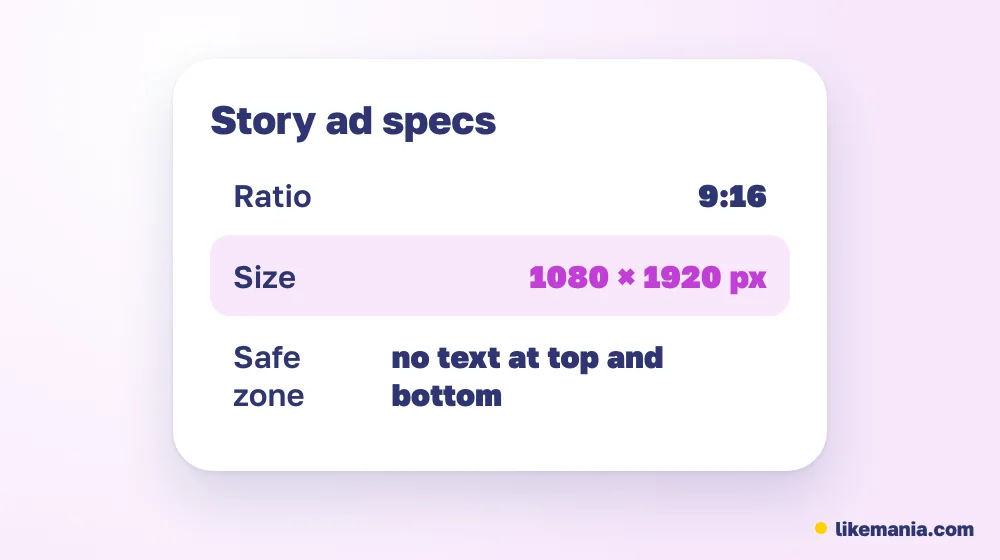
The safe zone is the part of the screen free from interface elements. The profile name sits at the top and the button at the bottom, so text placed there gets hidden. Meta's recommendation is to keep roughly 14 percent of the frame at the top and at the bottom, about 250 pixels on a 1080 × 1920 creative, free of text and logos, and to place the main subject in the middle. Use the preview in Ads Manager, which shows the zones on your own creative.
How to create a Story ad, step by step
- Start. Open Ads Manager from your Meta Business account and create a new campaign.
- Objective. Choose the one that matches the goal: awareness, traffic, engagement, leads or sales.
- Audience. Start broad enough to learn, then narrow by location, age and interests.
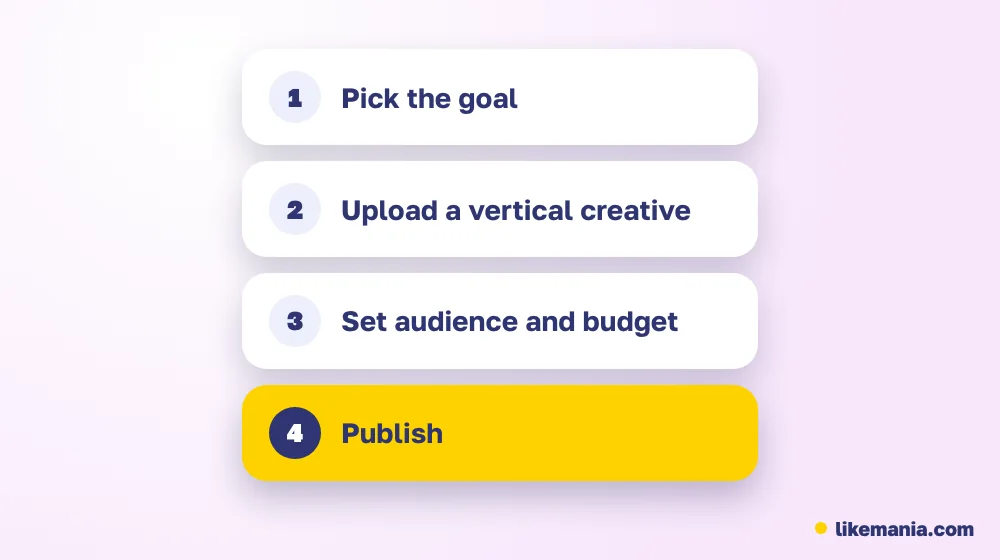
The next steps decide where and how much you spend.
- Placements. Either leave automatic placements on or select Instagram Stories manually. Manual selection gives you cleaner data.
- Budget. Set a daily amount and a schedule. A small sum for several days gives more information than a large sum for one.
- Creative. Upload it in 9:16. Add a short text and choose a call-to-action button.
- Publish. Check the preview for Stories, then submit.
Official explanations of the formats live on Instagram for Business and in Meta's Ads Guide, where the current limits are listed.
What makes a Story ad work
- A fast first frame. People decide in a second whether to tap away. Start with the point, not a logo.
- One idea per ad. A single message and a single button.
- Sound optional. Many viewers watch muted, so add on-screen words that carry the idea.
- Native look. Footage shot on a phone often feels at home in Stories, whereas polished commercials can feel out of place.
- A button that fits the goal. Choose the action that matches what you want, and make sure the page it opens loads quickly on a phone.
Ten checks with a number each
The first five describe the creative and how people respond to it.
- Creative size. The file is 9:16 and passes the Ads Manager preview.
- First-seconds hold. Check the share of viewers who watch the first three seconds; compare it with your next version.
- Click-through rate. Track clicks divided by impressions, and compare creatives.
- Cost per click or result. Note the figure per creative and keep the best.
- Frequency. Watch how many times one person sees the ad; if it climbs, the audience is tired.
Now the checks that start once the ad is running:
- Landing page speed. The page opens in a few seconds on mobile data.
- Placement report. Compare Stories against feed to see if Stories deserve the budget.
- Audience overlap. Do not run two audiences that mostly contain the same people.
- Message match. The page repeats the promise made in the ad.
- Learning period. Do not change the ad in its first days; give the system time to learn.
A 14-day test plan
| Days | Task | Done when |
|---|---|---|
| 1–2 | Write one promise; shoot two openings | Two clips exist |
| 3 | Build the campaign, Stories placement | Ad submitted |
| 4–8 | Let it run untouched | Data is collected |
| 9 | Compare click rate and cost per result | A winner is clear |
| 10–11 | Replace the weaker ad with a new one | New ad submitted |
| 12–14 | Winner against the challenger | One ad is kept |
Never judge from a single day. Early results move around, and a decision made on little data is a guess.
Common mistakes
- Reusing a horizontal video with black bars.
- Putting a logo or caption into the bottom band.
- Sending traffic to a slow page.
- Changing the audience, creative and budget at once.
- Judging by likes instead of the goal you chose.
- Skipping the preview.
Do Story ads help organic growth?
An ad is a way to reach people who do not follow you. It does not replace a profile worth following. Before you pay for clicks, check that your profile has a clear bio, a recent post and a Highlight or two, since visitors will look.
If you also want to see how others react to your Stories, read about viewing Instagram Stories anonymously, and for profiles you cannot open, see what you can view on private Instagram accounts. To see how people respond under posts, find someone's Instagram comments.
How it works at Likemania
New profiles often look empty to a person who taps through from an ad. Operating since 2012, Likemania lists real Instagram followers next to likes, views and saves. An order needs only the link of a public profile and no login. The calculator shows the amount ahead of payment, and each service card describes what happens if numbers fall. Followers alter the count on your profile and nothing else; they do not improve how an ad performs. The full list is on the services page.
FAQ
How do I create an Instagram Stories ad?
Create a campaign in Ads Manager, choose an objective, select Instagram Stories as a placement, upload a 9:16 creative and publish after checking the preview.
Which dimensions should a Story ad have?
9:16, with 1080 × 1920 pixels as a common minimum. Check the current numbers in Ads Manager.
Where should I keep text in a Story ad?
Away from the top and bottom bands, roughly 14 percent of the height each, which interface elements cover.
Can I promote an existing Story?
Yes, from the app, though Ads Manager offers more control.
How long should a Story ad video be?
Short is safest. Guides list a maximum of about a minute, but the first seconds decide whether people stay.
Conclusion
A good Instagram Story ad is vertical, clear in the first seconds, safe from interface bands and built around one action. Create it in Ads Manager, test two versions on a small budget and keep the one with the best cost per result.